TLDR. Three highlights from the latest nebulaONE® release: Microsoft 365 integration is now Generally Available, so SharePoint, OneDrive, Outlook, and Teams content is always available when you need it. Context Compaction means long conversations no longer hit a wall. And our API now supports OpenAI models, alongside Claude, meaning the same governed access you use for Claude Code now extends to OpenAI models in tools like VS Code.
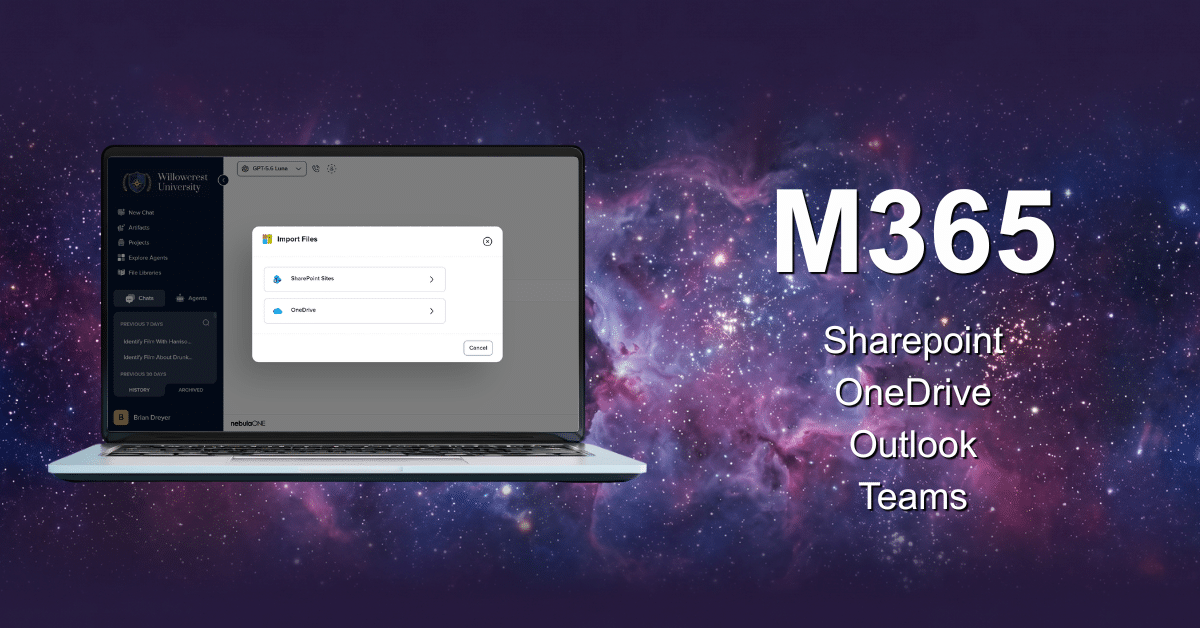
Microsoft 365 is now generally available
Most of the context a good answer needs isn’t in the chat window. It’s lives in a SharePoint site, an Outlook thread from three weeks ago, or a Teams call nobody wrote down. With Microsoft 365 now generally available, authorized content is available inside ONEchat, so users can bring the right information into the conversation without switching between systems.

With Microsoft 365 connected, users can import files from SharePoint and OneDrive directly into any conversation, search emails and calendar events from Outlook, and pull in Teams messages and transcripts to give conversations the right context. Agents can also be built with SharePoint sites as knowledge sources, grounding both conversations and agents in the same institutional content.
This feature has been in Preview since May. It now gives institutions a governed way to put existing Microsoft 365 content to work in everyday AI tasks.
- Meeting follow-through without the manual digging: A staff member pulls the Teams transcript from a budget planning call directly into a conversation and asks nebulaONE to draft the recap email and action-item list. No rewatching the recording or searching chat to confirm ownership.
- Policy and procedure Q&A grounded in the real document: An HR staffer imports a SharePoint-hosted policy file (financial aid guidelines, benefits handbook) into chat and asks specific questions against it, instead of manually searching a shared drive or paraphrasing from memory.
- Cross-source context for a single decision: Someone preparing for a vendor renewal brings the related Outlook email thread and OneDrive contract draft into one conversation. nebulaONE can summarize the current position and identify open questions without manual copy and paste.
NOTE: Admins must enable this integration in Instance Settings before users can access it. Individual sources (OneDrive, Outlook, and Teams) can be toggled on or off independently at the instance and Agent level.
Context Compaction

Anyone who has worked through a long AI conversation knows the problem. You are deep into a task when the model starts losing earlier context, reaches its limit, or asks you to start again.
Now, when a conversation approaches its model’s context limit, nebulaONE automatically summarizes the older parts instead of dropping them or refusing to continue. The important threads stay intact.
Bigger context windows help, but they are not the whole answer. They also increase token use and cost. Context Compaction gives nebulaONE a more efficient way to manage long-running work while helping institutions keep AI usage and token costs under control.
OpenAI Model Support in the API
nebulaONE’s API now supports OpenAI models in addition to Claude. Teams already using nebulaONE for governed Claude Code access can use the same API and credentials with supported OpenAI models in developer tools such as VS Code.
This powers many developer use cases, especially as OpenAI GPT 5.6 models have taken a leap forward in capabilities. Developers can work with the model that fits the task without creating a separate integration for each model family. Administrators retain the same governance layer across supported models, including centralized access and controls.
 by
by