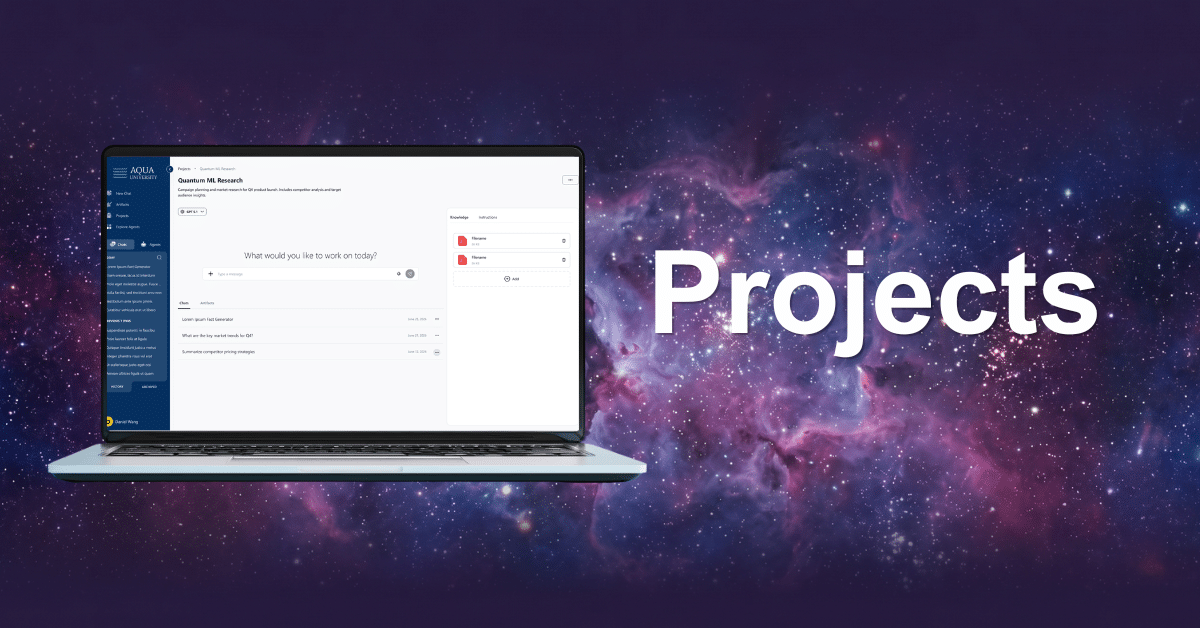
TLDR: This release is about turning individual AI usage into organizational infrastructure. Projects give people a workspace to organize context instead of a chat that forgets everything on close, with team collaboration arriving in the next release. Group-based budgets let usage limits follow organizational structure instead of a flat instance-wide number. And the new Token Usage dashboard gives admins the spend visibility they’ve been reconstructing by hand until now.
We’ve shipped a batch of updates that make nebulaONE®
better at the thing it’s supposed to be good at: keeping AI work organized, governed, and visible.
The headline is “Projects,” but there are two admin-facing releases alongside it that deserve just as much attention.
1. Introducing Projects: Organize Your Work
Anyone who’s used an AI chat tool for more than a few weeks runs into this: you start a conversation, get useful output, close the tab, and a week later you’re re-uploading the same files and re-explaining the same context to a brand-new chat that has no memory of any of it. Every conversation starts from zero.
Projects fixes this by giving you a workspace instead of a chat window.
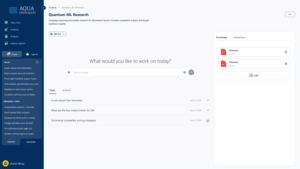
A Project is a container for your chats, files, and instructions, all grouped around whatever you’re working on. Add the files once. Set the custom instructions once. Every chat in that project automatically inherits it.
What this looks like day to day:
- Files and instructions persist: Upload your source material and set your context once, and every chat in the project uses it automatically. No re-uploading, no re-explaining.
- Chats start pre-loaded: New conversations in a project open with full context already in place. You’re picking up where you left off, not starting over.
- Artifacts live in one place: Every document, piece of code, or output generated inside a project is findable in that project, not scattered across your chat history.
This first release is scoped to personal use, so you’re organizing your own work. The next release adds sharing, so teams can collaborate inside a Project the same way you do individually now.
Think of this release as laying out the foundation. The next one is where it starts to compound.
2. Group-Based Budgets
This builds directly on Groups, solving a problem that shows up the moment any organization has more than one type of AI user.
Not everyone needs the same usage ceiling. A research team running Deep Research queries all day has a different profile than someone using nebulaONE for occasional email drafts. Before this release, budget was a blunt instrument, mostly instance-wide, not built to flex around real usage patterns.
For institutions where departments and colleges operate under one central IT function, that flat model made it hard to hold any single group accountable for its own spend.
Now budgets attach to Groups, which means admins can:
- Create power user groups for people with a legitimate case for higher limits
- Support research groups that chew through usage faster than the average user
- Move someone into a higher-limit group temporarily, then move them back, without touching individual account settings one by one
It’s a small mechanical change with an outsized operational effect: usage governance that matches how your organization is structured, instead of a single number applied to everyone.
Note: Group-based budget limit is available on the Enterprise tier.
3. Track Token Usage Across Your Organization
The third release is a new page in the Admin Dashboard, and it answers a question every admin previously had to piece together manually: where is our AI spend actually going?
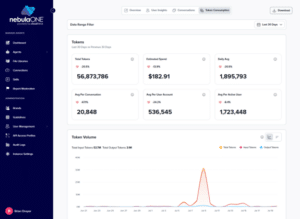
The new Token Usage page breaks consumption down by model and by Agent, alongside estimated spend, all in one view. Instead of exporting data and reconstructing the picture yourself, you get the trend line directly: which models are being used, which Agents are driving the heaviest consumption, and where spend is trending over time.
This is the kind of feature that doesn’t change what you can do with AI, but changes whether you can defend it. When finance asks where the AI budget went, or when it’s time to decide whether to deprecate a model, this is the page that has the answer already loaded.
On their own, these are three separate updates. Together, they’re what it looks like to run AI at institutional scale instead of just using AI individually.
 by
by